Headless CMS Development Services: When to Choose a Headless CMS Development Company
A headless CMS agency designs, builds, and maintains websites where content management and frontend are separate systems connected by APIs. You need one when the project involves migration from a legacy CMS, multi-market content operations, strict performance targets, or an architecture your in-house team hasn’t built before. You don’t need one when a single, simple website with standard workflows already serves the business fine.

This guide gives you the decision framework: when headless pays off, when it doesn’t which platforms to shortlist, and how to evaluate a headless CMS development company before you sign.
TL;DR
Headless earns its cost through specific signals: multi-market content, editor bottlenecks, Core Web Vitals ceilings, structured content reuse, and integration-heavy stacks.
Headless is the wrong choice for some projects. A simple site, a lean team without dev capacity, and plugin-dependent workflows are all better served by a traditional or hybrid CMS.
The platform decision comes second. Storyblok, Sanity, Strapi, and Payload solve different problems. Your content model and team structure decide, and the logo comes after.
Development services are where headless projects succeed or fail. Content modeling, migration, and frontend craft matter more than the CMS license.
Evaluate the agency on migration track record, editor experience, and performance results, and ask for proof of each.
This is a service selection guide, so it assumes you know the basics. If you want the architecture fundamentals first, start with our guide to headless CMS benefits, use cases, and platforms and come back for the decision.
What does a headless CMS agency do?
Headless CMS development services cover six areas: consulting and platform selection, content modeling, frontend development, migration, integrations, and post-launch governance. A headless CMS development company takes on the part the license doesn’t cover: turning a content API into a fast website your editors can actually run.
That gap shows up in the market numbers Grand View Research puts the headless CMS software market at $1.75 billion in 2025, growing to $6.23 billion by 2033, and names services as the fastest-growing segment of that market, on the back of demand for custom development, integrations, and frontend work around the platforms. The license is the smaller half of most headless projects. The build is the rest.
The work splits into four parts. Headless CMS consulting decides whether headless fits at all, which platform matches your team, and what the content model should look like. Development covers the frontend (typically Next.js or Nuxt), rendering strategy, integrations, and the editorial setup. Migration moves content, URLs, and SEO equity from the old system. Governance keeps the setup healthy after launch: roles, workflows, performance budgets, and component hygiene. Headless CMS developers who handle only the build deliver half a project.
When should you choose a headless CMS?
Choose a headless CMS when at least two or three of the following signals describe your situation. One alone is rarely enough to justify the change.
Your content runs in multiple markets or brands. Localized sites, shared components, and per-market publishing rules strain page-based CMSs. Structured content with reusable components is the fix, and it’s what headless does natively.
Editors wait for developers. If every landing page, campaign, or layout change becomes a ticket, the CMS is a bottleneck. A well-modeled headless setup with visual editing gives marketing autonomy inside guardrails. When we migrated Urban to Next.js and Storyblok, page-building went from a month to a week.
You have hit a performance ceiling. When theme and plugin overhead keeps Core Web Vitals below target no matter how much you optimize, the architecture is the limit. Modern rendering (SSR, SSG, edge caching) removes it. The same Urban migration lifted Lighthouse performance from 30 to 96 and cut LCP from 3 seconds to 0.8.
The same content feeds several destinations. Website, product UI, documentation, apps, feeds. Publish once and deliver everywhere: that's the core headless promise. Duplicating content across systems is the cost of skipping it.
You are building a design system. Component-based content models map one-to-one to component-based frontends. If design consistency at scale matters, the two belong together.
Integrations define the roadmap. CRM, search, personalization, commerce, analytics. API-first architecture makes each integration a service boundary instead of a plugin risk.
Security and compliance pressure is growing. A decoupled CMS isn’t publicly exposed, needs fewer plugins, and shrinks the attack surface, which simplifies audits.
Content scale is about to jump. Programmatic pages, new markets, new product lines. Headless architectures handle growth without rebuilds, as our n8n project showed when the site scaled to 300,000 API-driven pages.

Seeing your situation in these signals?
We help teams decide whether headless fits, pick the platform, and plan the build before any code is written.
When should you NOT choose a headless CMS?
Headless isn't the right fit for every project, and few agencies say so upfront. Skip it, or postpone it, when the following describes you:
You run one website with standard needs. A brochure site, a local business site, or a simple blog gains little from decoupling and inherits real complexity instead. A traditional CMS ships faster and costs less.
You have no development capacity. Headless means owning a frontend application. Without an in-house developer or a retained partner, every change beyond content editing stalls. That dependency is a real operating cost, and you should price it before choosing.
Your workflows live in plugins. If forms, SEO tooling, membership, and events all come from a mature plugin ecosystem today, rebuilding each one as a custom integration multiplies scope. Sometimes the right recommendation is to stay put.
Budget covers the license but not the build. The platform subscription is the visible cost. Frontend development, content modeling, and migration are the real budget, typically a multiple of the license. If that math fails, hybrid options or a better-configured traditional CMS win.
You want headless because it’s modern. Architecture is a means. If you can’t name the business problem it solves (performance, autonomy, scale, reuse), you don’t have one yet.
Headless CMS vs traditional CMS: which fits your situation?
The technical differences between headless and traditional architecture matter, but the decision usually gets made at the level of business situation, not database schemas. The table below compares the two on that basis.
| Your situation | Better fit | Why |
|---|---|---|
| One site, small team, standard workflows | Traditional CMS | Fastest path, lowest operating complexity |
| Multi-market or multi-brand content | Headless CMS | Structured content, shared components, per-market delivery |
| Editors blocked by developer queues | Headless CMS | Visual editing plus component autonomy inside guardrails |
| Core Web Vitals stuck below target | Headless CMS | Modern rendering and edge delivery remove theme overhead |
| Workflows built on a plugin ecosystem | Traditional CMS | Rebuilding plugins as integrations multiplies scope |
| Content reused across web, apps, and product | Headless CMS | Publish once, deliver via API everywhere |
| No dev capacity, no partner budget | Traditional CMS | Headless requires owning a frontend application |
| Compliance and security audits tightening | Headless CMS | Smaller attack surface, no public CMS, fewer plugins |
Which headless CMS should you shortlist?
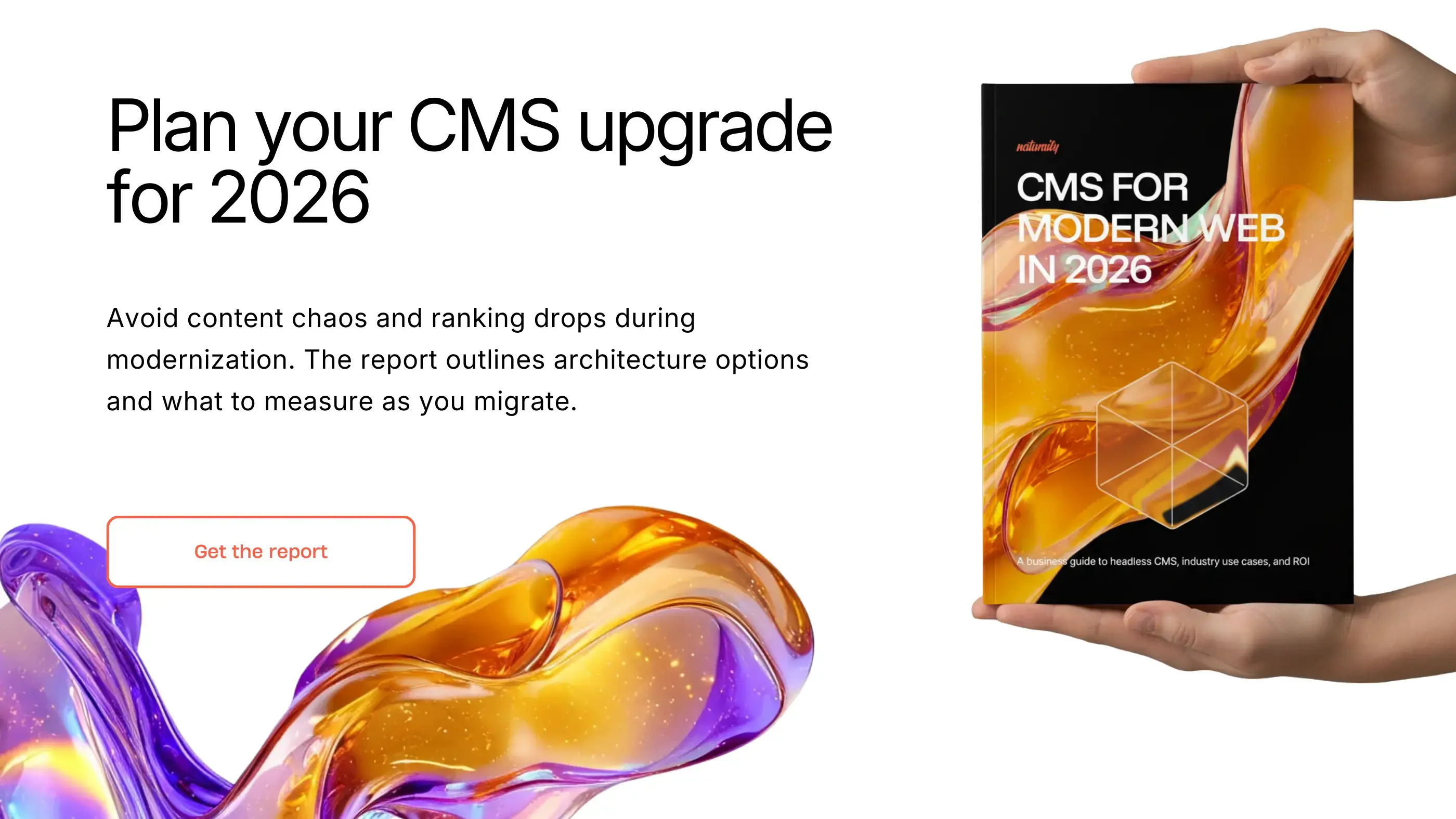
Shortlist by problem, and the platform follows. The market is wide, from SaaS visual editors to code-first self-hosted platforms, and we match the platform to the need rather than the other way around. The four platforms below are where our deepest expertise and certified partnerships sit, and they cover the scenarios we meet most often. For the full vendor landscape, including a six-question decision filter and scenario-based quick picks, our CMS for Modern Web 2026 report goes vendor by vendor.
Storyblok serves marketing-led teams best. In our Storyblok development projects, the visual editor is the centerpiece: non-technical editors compose pages from components and preview them in place, which makes it the strongest choice when editor autonomy was the reason you went headless.
Sanity suits content-as-data organizations. Sanity development centers on the schema: real-time collaboration and fully customizable content models make it the pick when complex content powers multiple products, or when a central content hub feeds several frontends.
Strapi is for teams that need ownership. Strapi development means open source and self-hosting, so it wins when data residency, license cost control, or deep backend customization decide the platform question.
Payload belongs in developer-first builds. Payload CMS development shines when the CMS is part of a larger TypeScript application and the engineering team wants the content layer in their own stack.
For Shopify storefronts the shortlist looks different, because commerce content and product data split ownership with the platform. Our comparison of the best CMS options for Shopify covers that case separately.
What does headless CMS migration look like?
Headless CMS migration is a five-phase process: audit, content modeling, migration and redirects, parallel run, and launch. Most projects we take on migrate from WordPress, Pimcore, or a custom CMS, and the phases hold regardless of source.
Audit inventories content, templates, integrations, traffic, and rankings, and decides what earns migration. Content modeling is the make-or-break phase: translating page-based content into a composable CMS architecture of structured, reusable components. Model it as pages again and you’ll rebuild in two years. Migration and redirects move content programmatically where structure allows, and map every URL, because rankings live in URLs. Parallel run validates the new stack against the old one on real content and real editors before anything switches. Launch is a sequencing exercise: DNS, redirects, monitoring, rollback plan.
SEO deserves its own line item. Redirect mapping, canonical handling, structured data, and rendering strategy all change during a replatform, and each is a ranking risk if skipped. Our CMS migration checklist covers the full sequence, including how to protect rankings through the cutover.
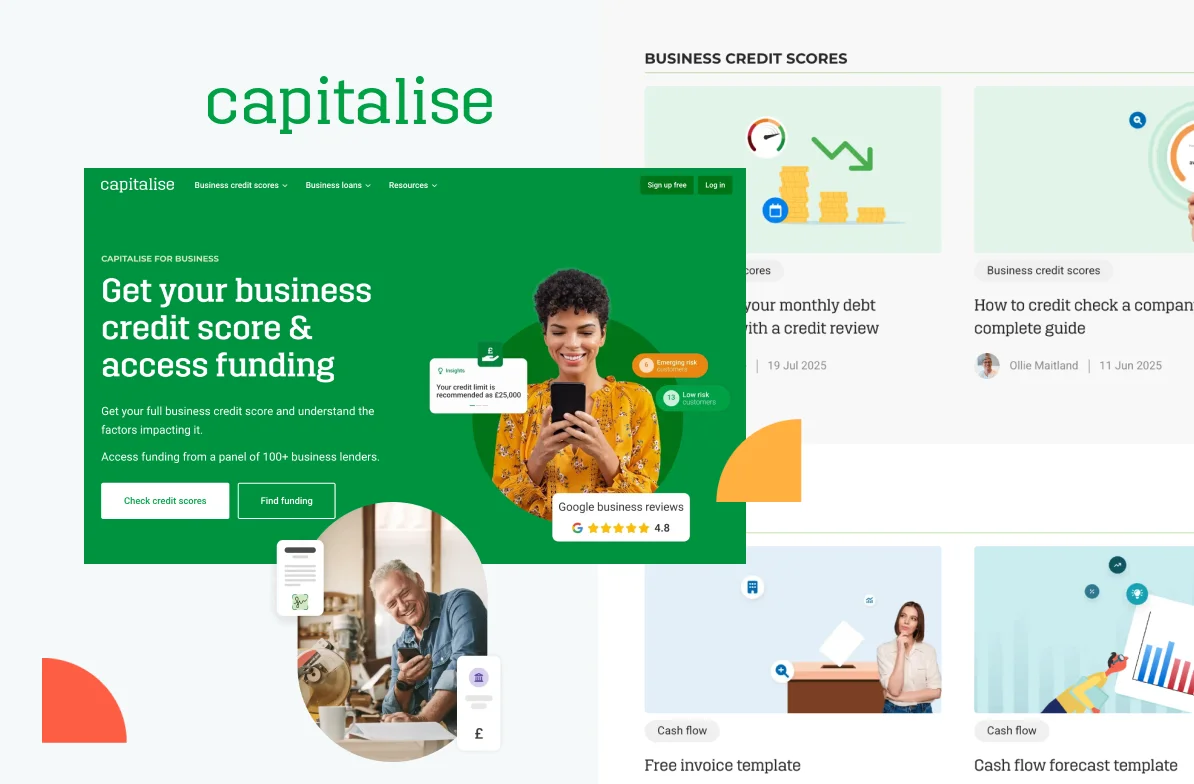
Proof that the process works: when Capitalise replaced a rigid legacy CMS with a headless, experimentation-ready stack, mobile LCP improved by 31% and average monthly traffic grew 48%, and the replatform shipped with built-in A/B testing that turned the site into an experimentation engine instead of a maintenance burden.
Capitalise
Business finance SaaS
Capitalise needed a modern website to replace their rigid legacy CMS and enable data-driven growth. We created a fast, headless platform with built-in A/B testing. Easy to experiment, optimize, and boost conversions.
48%
growth in average monthly traffic
31%
faster mobile LCP
35%
faster CMS content update
How do you choose a headless CMS development company?
Evaluate a headless CMS development company on evidence, and ask for it in this order:
Platform depth over platform breadth. Certified partnerships (we hold them for Storyblok, Sanity and Strapi) mean the agency has shipped enough on the platform for the vendor to vouch for it. An agency that claims all twelve platforms equally has depth in none.
Migration track record from your CMS. WordPress, Pimcore, and custom CMS migrations each fail differently. Ask for a case where the agency moved a site like yours, and ask what broke.
Editor experience as a stated priority. Request a demo of an editorial setup they built, not the vendor's demo. If editors need a developer for a landing page, the content model fails.
Performance results with numbers. Ask for Core Web Vitals before and after, from a real project. A speed claim without numbers is marketing copy.
SEO handled as architecture. Rendering strategy, structured data, redirect handling, and metadata management should appear in their process unprompted.
Security posture you can verify. ISO 27001 certification, access controls, and a documented development process matter more every year, especially in regulated industries.
A governance plan for after launch. Component hygiene, performance budgets, and editorial guardrails decay without an owner. Ask who owns them in month six.

Put us through this checklist
Certified Storyblok and Sanity partner, ISO 27001, and migration case studies from WordPress, Pimcore, and custom CMSs.
How do you decide on headless CMS development services?
Deciding on headless CMS development services comes down to four questions:
Do the signals apply? Multi-market content, editor bottlenecks, performance ceilings, content reuse, integration-heavy stacks. Two or more means headless deserves a serious look.
Does the counter-list apply? Simple site, no dev capacity, plugin-dependent workflows, license-only budget. Any of these means pause.
Which platform matches the team? Storyblok for editor autonomy, Sanity for content as data, Strapi for ownership, Payload for developer-first builds.
Can the agency prove it? Certifications, migration cases, editor demos, performance deltas, and a post-launch governance plan.
If you want a second opinion on any of the four, that’s exactly what our first conversation covers. Get an estimate and we’ll tell you honestly whether headless fits, including when the answer is that it doesn’t.
FAQ
Headless CMS Development Services
Headless CMS development services cover consulting and platform selection, content modeling, frontend development, migration from a previous CMS, integrations, and post-launch governance. Agencies deliver the parts a CMS license does not include: the frontend application, the content architecture, and the editorial setup that makes the platform usable for non-technical teams.
An in-house team can build headless if it has frontend engineers, content modeling experience, and time for the migration. An agency makes sense when the team lacks one of the three, when the migration carries SEO risk, or when the project needs to ship alongside normal delivery work. Many teams split it: agency builds, in-house team runs.
Scope drives the timeline more than the platform. A focused marketing site with a clean content inventory takes weeks to a few months. Multi-market sites, large content archives, and heavy integration layers extend it, and content modeling plus QA consume more of the schedule than development itself.
Most headless CMS projects cost $18,000 to $50,000, and multi-market builds with heavy integration can reach $80,000 or more. The cost tracks effort: a complex site on a SaaS CMS like Storyblok or Sanity typically takes 300 to 600 hours, and a self-hosted build on Strapi or Payload takes 360 to 720. Design complexity, integrations, user roles, and real-time features each add 20 to 50% to that. Our current rates ($60-70) and typical project sizes are verified on our Clutch profile. For a figure specific to your content, markets, and integrations, get an estimate.
Yes, when rendering is handled correctly. Server-side rendering or static generation, structured data, clean URLs, and managed redirects give headless setups an SEO ceiling above most traditional CMS themes. The risks concentrate in migration and rendering strategy, both solvable with an experienced partner.
Choose by team structure: Storyblok development when marketing needs visual autonomy, Sanity development when structured content feeds multiple products, Strapi development when self-hosting and ownership matter, and Payload CMS development when the CMS should live inside a TypeScript application stack. If two options fit, run a one-week proof of concept on your hardest content type.
Still weighing headless?
Tell us your setup and goals, and we'll tell you honestly whether headless fits and which platform matches your team.