Custom Website Development vs Templates: When Going Custom Is Worth It
Custom website development provides greater control, performance, and flexibility than templates and website builders. The key question is when those advantages justify the additional cost and complexity for your business.


What is the difference between a custom website and a template?
Custom website development means building a site specifically for your business requirements instead of adapting a prebuilt template or website builder. It gives full control over architecture, performance, integrations, and user experience, at the cost of higher complexity and investment.
Choose custom website development if:
Your website must support complex business logic or integrations
Performance, SEO, or Core Web Vitals are business-critical
The site needs to scale beyond standard templates or plugins
You expect frequent changes that templates can’t handle cleanly
Choose a template or website builder if:
You need to launch quickly with limited budget
Requirements are simple and unlikely to evolve
Custom integrations are minimal or unnecessary
The website is not a core business or revenue driver

Not sure which approach fits your project?
Talk to our team about your requirements, constraints, and growth plans. We assess whether a custom website or a template-based solution makes the most sense for your business.
What Is Custom Website Development?
Custom website development is the process of designing and building a website specifically for defined business, technical, and user requirements, rather than adapting a prebuilt template or using a website builder.
The site is designed around how the business operates and grows.
A custom built website gives full control over information architecture, page structure, rendering strategy, performance optimization, and integrations. This makes it possible to connect the website cleanly with systems such as:
content management platforms,
ecommerce tools,
analytics,
marketing automation, or
internal business software.
Template based solutions rely on predefined layouts and extensions, which can limit flexibility as requirements become more complex.
Custom website development can be implemented using a traditional CMS with a fully custom theme, a modern frontend framework with server side or static rendering, or a more modular setup where frontend and backend are separated. What these approaches share is that the website is built to match specific requirements, not generic use cases.
Some organizations adopt a hybrid path. They launch quickly using a template to validate assumptions, then transition to a custom build once performance, scalability, or integration needs exceed what templates can support.
n8n sought a scalable web solution for automated API-rich content creation in huge page volumes. The rapid website we created boosted their visibility and product usage while saving tons of time.
5/5
Clutch review
300k
API-driven dynamic pages generated
900%
More Top 10 keywords in 1 year

Custom Website or Template: Which One Should You Choose?
Custom built websites and template based solutions solve different problems:
templates and builders focus on speed and accessibility for common use cases,
custom development prioritizes control, scalability, and alignment with specific business requirements.
What is the difference between a custom-built website and a template website?
| Dimension | Custom-built website | Templates and website builders |
|---|---|---|
| Setup approach | Designed for defined business and technical requirements | Configured from predefined layouts and features |
| Time to launch | Longer initial build | Fast initial launch |
| Upfront cost | Higher | Lower |
| Performance control | Full control over rendering, assets, and scripts | Limited by theme, builder, and plugins |
| SEO flexibility | Full control over markup, structure, and rendering | Dependent on platform and theme quality |
| Integrations | Any system via APIs or custom logic | Limited to available plugins and extensions |
| Scalability | Designed to grow with traffic and features | Scaling increases complexity over time |
| Maintenance | Requires development ownership | Platform manages most updates |
| Long term adaptability | High | Declines as customization increases |
Common template and builder platforms include Wix, WordPress themes, Webflow, and Shopify themes. These tools work well for standard scenarios but introduce constraints as requirements grow more specific.
Custom-built websites
Best for
Businesses with complex requirements or workflows
Websites where performance, SEO, or Core Web Vitals affect outcomes
Products that require integrations with CRM, ERP, PIM, or analytics systems
Organizations planning ongoing changes and feature expansion
Not for
Small or short lived projects
Teams without access to technical maintenance
Websites where launch speed outweighs long term flexibility
Not sure whether custom development is the right fit?
Discuss your website requirements with our team and get a clear assessment of whether a custom build or a template based solution better supports your performance, SEO, and growth goals.
Templates and website builders
Best for
Early stage projects with limited budget
Teams that need to publish quickly without engineering support
Use cases covered by existing themes and plugins
Not for
Websites requiring non standard logic or workflows
Projects sensitive to performance issues caused by plugins or scripts
Platforms expected to scale significantly in traffic or functionality
When is a template enough?
A template or website builder is usually sufficient when the website plays a supporting role rather than a core business function.
A typical example is an early stage SaaS or startup website. The goal is to explain the product, capture leads, and validate demand. Pages are limited, integrations are basic, and content changes infrequently. A template enables fast launch without diverting resources from product development.
Another common case is a professional services website such as a financial consultancy, legal firm, or advisory business. The site focuses on services, expertise, trust signals, and contact inquiries. Content changes are infrequent and requirements are well defined. In these conditions, a WordPress or Webflow template is often sufficient.
Templates are also a good fit for small ecommerce stores with standard requirements. Businesses selling a limited catalog with conventional checkout, shipping, and promotions can rely on Shopify themes and built in integrations as long as business rules stay within platform boundaries.
Campaign and event websites are another strong example. These sites have a fixed lifespan, predictable traffic spikes, and minimal long term maintenance needs. Speed and cost efficiency matter more than architectural flexibility.
When a template becomes a bottleneck?
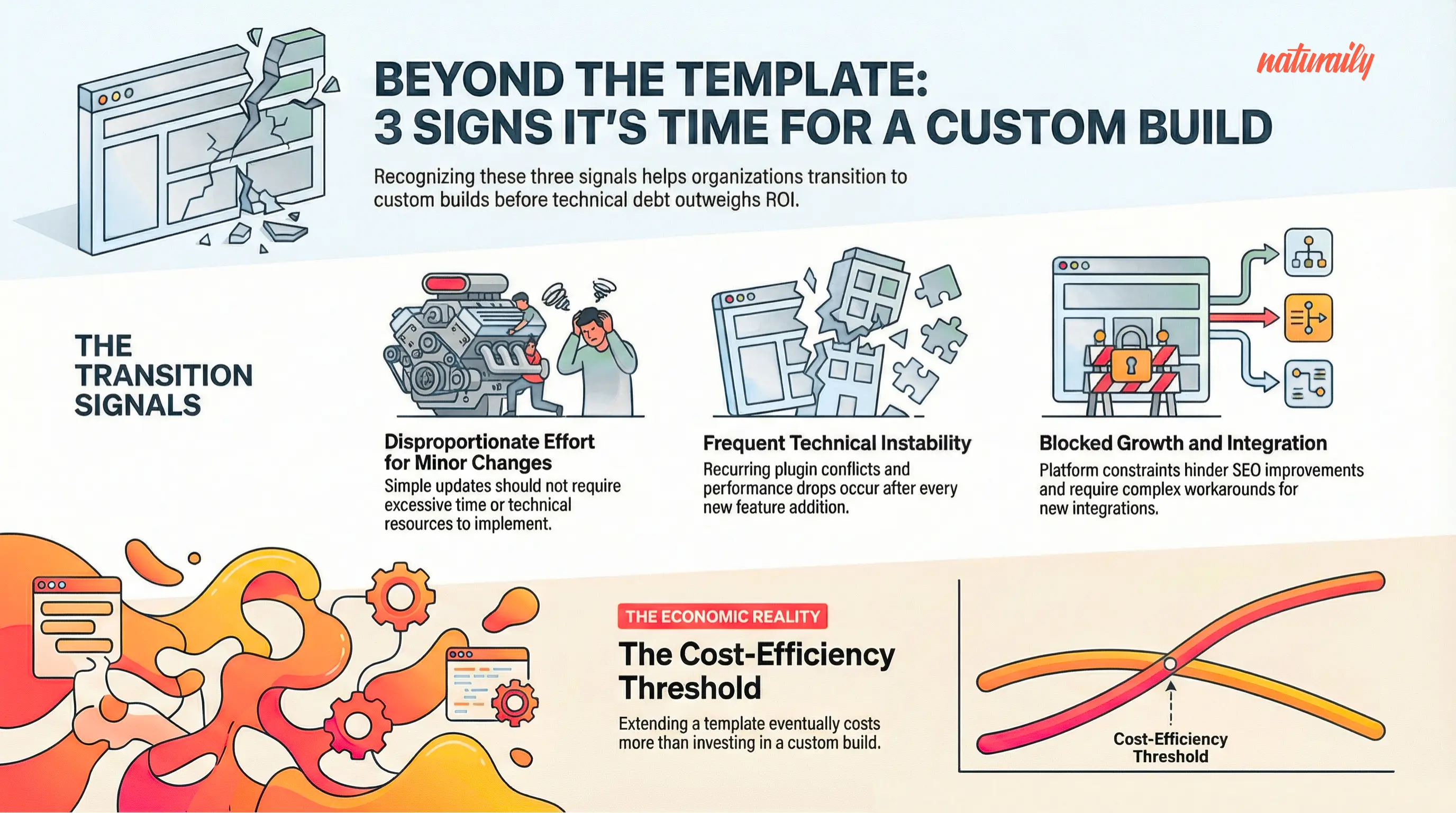
Templates start to break down when the website becomes more tightly coupled to business operations or revenue.
A common trigger is growing integration complexity. When a website needs to connect deeply with CRM, ERP, PIM, or custom analytics systems, plugin based approaches often become fragile and hard to maintain.
Performance issues are another signal. As plugins, scripts, and tracking tools accumulate, page weight increases and Core Web Vitals scores decline. At that point, improving performance requires control over rendering and asset loading that templates rarely allow.
Content structure is also a frequent constraint. Teams often discover that existing page models no longer fit new use cases such as localization, personalization, or multichannel publishing. Workarounds increase complexity and slow down delivery.
In ecommerce, templates can become limiting when pricing rules, promotions, or checkoutlogic diverge from standard platform behavior. What initially worked for a small catalog becomes difficult to adapt as the business scales.
What Are the Benefits of Custom Websites?
Lower long term cost compared to extending templates beyond their limits
Greater control over performance and SEO outcomes
Faster and safer implementation of changes over time
Clearer brand differentiation in competitive markets
Scalable foundation for integrations and future growth
Lower long term cost
Custom websites reduce total cost of ownership when the site is actively developed and extended. Instead of relying on plugins and workarounds, features are implemented directly in code. This lowers maintenance effort, reduces the risk of regressions, and avoids repeated replatforming as requirements evolve.
Greater control over performance and SEO
Custom development provides full control over how pages are rendered, assets loaded, and markup structured. This allows teams to optimize deliberately for Core Web Vitals, implement structured data correctly, and address accessibility requirements without being constrained by themes or builders, often using modern approaches such as Jamstack that emphasize pre-rendered content and API driven integrations.
Faster and safer change over time
When requirements change, custom code is easier to adapt than heavily customized templates. Teams can introduce new features, adjust content models, or modify user journeys without breaking unrelated parts of the site. This improves delivery speed and reduces operational risk.
Clearer brand differentiation
Custom websites are not constrained by common layouts or interaction patterns. Design and content structure can reflect how the business communicates value, which helps differentiate the brand in markets where many competitors rely on the same platforms and themes.
Is your website differentiating your brand or blending in?
Talk to our team about how a custom website can support clearer positioning, consistent design, and content structures aligned with how your business creates value.
Scalable foundation for growth
Custom architecture supports intentional integrations with CRM, ERP, PIM, analytics, and experimentation tools. It also makes it easier to add new channels, locales, or experiences without structural rewrites, reducing long term architectural risk.
When is a custom-built website worth it?
A custom-built website is worth the investment when the website directly influences revenue, lead generation, or operational efficiency, and when technical constraints limit further improvement.
It typically makes sense when:
The cost of maintaining plugins and workarounds outweighs the cost of building properly
SEO, performance, or conversion optimization require control over markup and rendering
The website must integrate deeply with internal or external systems
Content structure and user journeys are expected to evolve
The business plans continuous iteration rather than a single launch
What Are the Downsides of Custom Web Development and How to Mitigate Them
Higher upfront cost
Ongoing maintenance responsibility
Increased governance complexity
Dependency on specific expertise
Risk of overengineering
Higher upfront cost
Custom websites require a larger initial investment than templates or builders. Design, architecture, development, and quality assurance are tailored to specific requirements, which increases cost at the start of the project.
How to mitigate
Define scope strictly around business critical requirements rather than future assumptions
Phase delivery so the initial release focuses on core functionality and performance
Compare total cost of ownership, not just build cost, especially if the site will evolve
Ongoing maintenance responsibility
Unlike templates, custom websites do not benefit from fully managed updates. The organization is responsible for maintaining code, dependencies, and integrations over time.
How to mitigate
Use well supported frameworks and libraries with predictable release cycles
Document architecture and decisions to reduce knowledge concentration
Establish a clear maintenance plan that includes updates, monitoring, and performance reviews
Governance and decision complexity
Custom development introduces more architectural and technical decisions. Without clear ownership, this can slow delivery or lead to inconsistent implementation.
How to mitigate
Define clear ownership across product, design, and engineering
Establish standards for performance, accessibility, and integrations early
Limit architectural freedom where consistency and speed matter more than flexibility
Dependency on internal or external expertise
Custom websites depend on people who understand the codebase. This can create risk if knowledge is concentrated in a single team or vendor.
How to mitigate
Favor readable, conventional solutions over overly clever implementations
Ensure handover documentation and onboarding materials are part of delivery
Avoid unnecessary customization when standard solutions are sufficient
We supercharged Urban’s website and gave their marketing team the tools and autonomy they needed. All while significantly improving web performance and SEO capabilities.
96
Performance (Lighthouse)
100%
Web devs’ time saved
Total
Flexibility & scalability

Overengineering risk
Custom development can introduce unnecessary complexity if requirements are not clearly defined. This often happens when future scenarios are built in too early.
How to mitigate
Design for current and near term needs, not hypothetical scale
Validate assumptions through incremental releases
Reassess architecture as the product and organization mature
Most downsides are avoidable with the right setup
We help teams plan custom websites with clear scope, ownership, and delivery models that minimize cost overruns and technical debt.
What Are the Modern Ways to Build a Custom Website in 2026?
Custom websites are built using different architectural approaches, each with distinct trade offs. Today, teams typically choose between a headless setup with a modern frontend, a traditional CMS with a custom theme, or a composable model designed for larger organizations.
When to choose headless CMS with a modern frontend?
This approach decouples content management from presentation, giving teams full control over how websites perform, scale, and evolve.
What this enables in practice
Independent frontend and content evolution without platform lock-in
Fine-grained control over rendering using server side or static generation
Better performance tuning for SEO and Core Web Vitals
Reuse of content across multiple channels and platforms
Best fit when
Performance and SEO directly affect business outcomes
The website must support multiple frontends or channels
Long term flexibility matters more than editorial simplicity
This model avoids the operational overhead of full composable architectures while delivering most of the performance and scalability benefits.
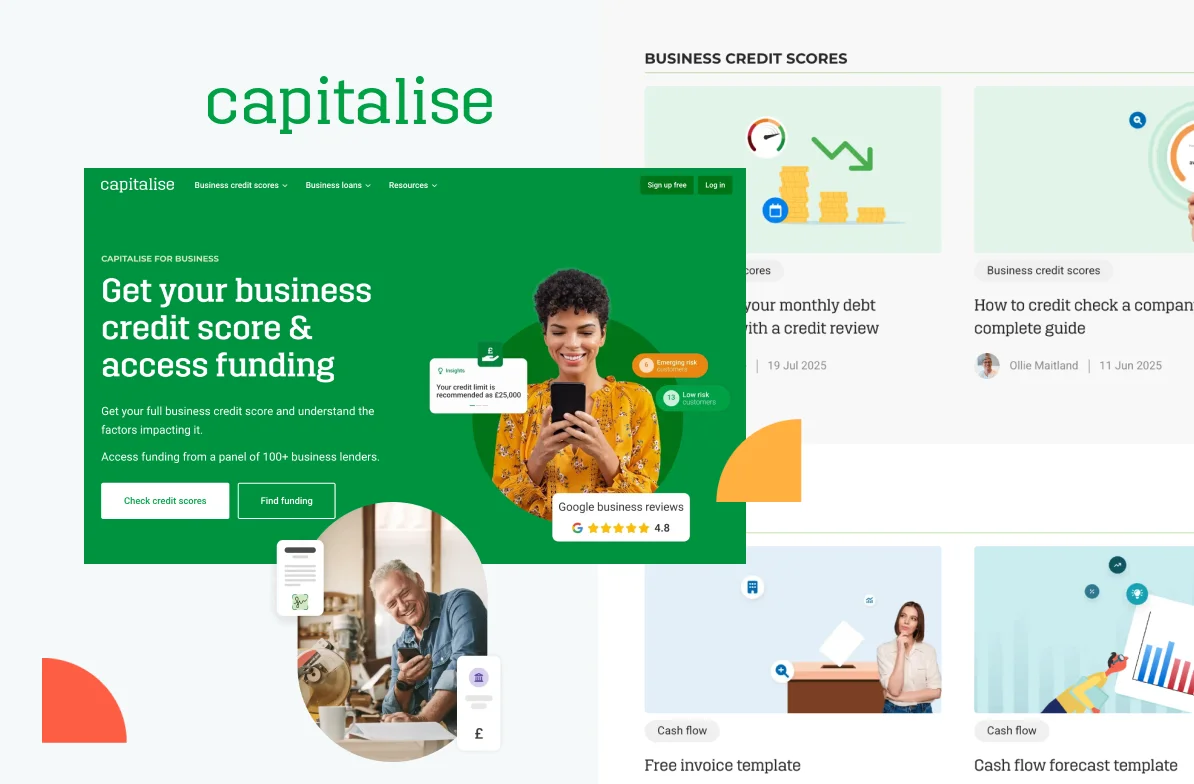
Capitalise needed a modern website to replace their rigid legacy CMS and enable data-driven growth. We created a fast, headless platform with built-in A/B testing. Easy to experiment, optimize, and boost conversions.
48%
growth in average monthly traffic
31%
faster mobile LCP
35%
faster CMS content update
When is a traditional CMS with a custom theme a better option?
This approach uses a monolithic CMS, such as WordPress or Drupal, but replaces off the shelf themes with a fully custom one.
What this enables in practice
Familiar editing experience for content teams
Faster implementation using built in CMS features
Lower operational complexity compared to headless setups
Easier onboarding for non technical users
Best fit when
Content structure and page types are stable
Editorial workflow simplicity is a priority
Time to delivery matters more than long term flexibility
Performance requirements are moderate and predictable
This approach remains valid when the website has clear boundaries and is unlikely to evolve into a multichannel or highly dynamic platform.
When is a composable approach the best one?
A composable architecture assembles the website from multiple independent services, such as CMS, search, commerce, personalization, and analytics, each owned and evolved separately.
What this enables in practice
Independent development and release cycles across teams
Deep flexibility in choosing and replacing individual systems
High scalability across features, traffic, and channels
Alignment with large, distributed organizations
Best fit when
Multiple teams own different parts of the platform
Integration complexity is high and continuously evolving
The website is part of a broader digital ecosystem
The organization can support strong governance and ownership
Composable architectures offer maximum flexibility, but they introduce significant operational overhead. For many teams, this complexity only becomes justified at scale.
Plan a headless CMS build with confidence
Work with our team to design a headless setup that delivers performance gains without unnecessary architectural risk.
Recommended Headless CMS Stack in 2026
Frontend frameworks and rendering
Most headless websites today are built on React, Vue, or Svelte, with React remaining the dominant choice. Annual State of JS surveys consistently show React as the most widely used frontend library, with the largest ecosystem and long-term adoption stability.
In practice, teams rarely work with these libraries directly. They adopt meta-frameworks such as Next.js, Nuxt, SvelteKit, Remix, and Astro, which abstract routing, data fetching, and rendering concerns. This trend is visible in both GitHub usage data and Web Almanac analyses, where Next.js and Nuxt appear among the most commonly detected modern frameworks on production sites.
These frameworks dominate because they support hybrid rendering models:
static generation is used for stable content,
server-side rendering for freshness or personalization, and
incremental regeneration where both are needed.
Google’s documentation on Core Web Vitals and rendering strategies consistently highlights these approaches as effective for balancing performance, SEO, and operational cost.
Node.js remains the standard runtime for these stacks, supported by broad hosting compatibility and long-term ecosystem stability.
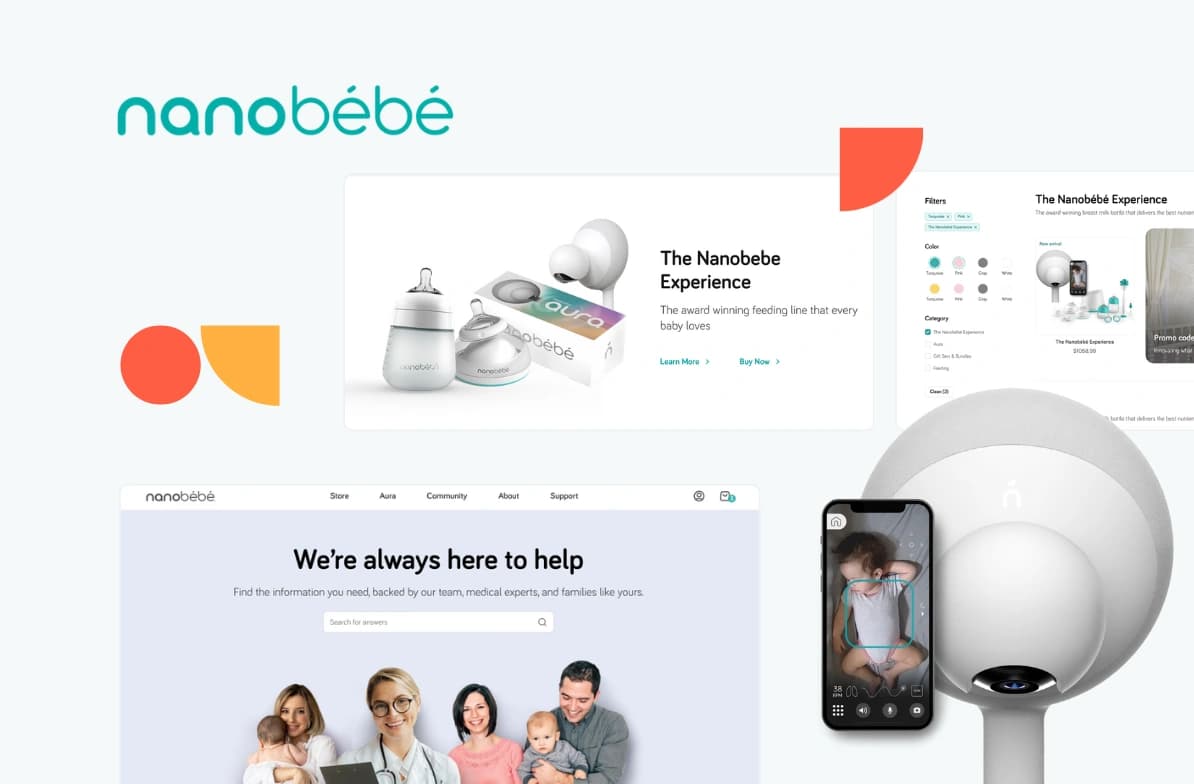
Nanobébé needed a modern, high-converting store to match their global growth. We rebuilt their Shopify site with sleek UX and faster load times. This made shopping easier and more engaging for parents worldwide.
5/5
Clutch review
117%
increased performance
80%
reduced TBT
Content management layer
On the CMS side, adoption has shifted steadily toward API-first platforms. Web Almanac data show continued growth in headless CMS usage relative to traditional monolithic systems, particularly among performance-focused and content-driven sites.
Platforms such as Contentful, Sanity, Storyblok, Strapi, Payload, and Prismic are widely adopted across marketing sites, content platforms, and digital products. These tools are chosen less for frontend features and more for structured content modeling, API reliability, localization support, and editorial workflows that scale beyond a single website.
Other platforms such as Directus, Hygraph, DatoCMS, and Builder.io are also commonly used, but more often in specific scenarios. These include:
data-heavy applications,
GraphQL-first architectures, or
setups where visual composition and experimentation are priorities.
Git-based CMS options like Decap CMS or TinaCMS tend to be used for developer-driven sites, documentation, or simpler content needs, and are rarely a fit for larger editorial teams or complex content operations.
Supporting services and integrations
Headless architectures rely on external services for capabilities that monolithic CMS platforms often bundle.
Search is commonly handled by services such as Algolia, Elastic, Typesense, or Meilisearch.
Forms and data capture are delegated to tools like Typeform, Tally, or Formspree.
Authentication is typically handled by dedicated services such as Auth0 or Clerk when required.
Commerce capabilities, when present, are usually implemented via APIs rather than embedded plugins. Lightweight cart solutions such as Snipcart or FoxyCart are common for smaller builds, while enterprise setups often rely on the Shopify Storefront API or commercetools.
The benefit of this approach is that each capability can be selected, replaced, or scaled independently, at the cost of increased integration responsibility.
Making the Right Choice for Your Website
Custom website development becomes relevant when performance, SEO, integrations, and long-term flexibility start to matter more than speed of initial delivery. Templates and website builders work well for simple, stable use cases, but they introduce friction once requirements grow or change frequently.
A custom approach gives teams control over architecture, content structure, and evolution over time. When the website plays a meaningful role in revenue, lead generation, or operations, this control reduces risk and prevents repeated rework.
If you are planning a new build, migration, or replatform and want clarity around scope, cost, and trade-offs, get a free estimate to see how a custom website could be shaped around your requirements.
FAQ
Website Development Explained
Use a website builder or template when the website’s role is limited and predictable. This typically applies when:
the site consists of standard pages such as home, services, blog, and contact
content structure will not change significantly over time
integrations are limited to analytics, forms, and basic marketing tools
traffic volume and performance requirements are moderate
the site is not directly tied to revenue or core operations
In these cases, the cost and speed advantages of templates outweigh the limitations in flexibility and performance control.
A custom-built website is not automatically better for SEO. The advantage of custom development is control. Teams can fully manage rendering, markup, performance, and Core Web Vitals without theme or plugin constraints. When SEO is business-critical and technical limitations block improvement, custom development removes those constraints. Results still depend on implementation quality.
A typical custom website takes 6 to 12 weeks from kickoff to launch.This usually breaks down as follows:
discovery and architecture: 1-2 weeks
design and content modeling: 2-3 weeks
development and integrations: 3-5 weeks
testing and launch preparation: 1-2 weeks
More complex projects, such as those involving headless CMS setups, custom integrations, multiple locales, or advanced performance requirements, often take 3-6 months. Shorter timelines are possible when scope is tightly defined and content is ready upfront.
Need a second opinion on your website direction?
Share your goals and constraints with our team. We will help you validate whether a custom build, headless setup, or simpler approach best fits your business today and in the long term.