Website Optimization for Business Growth: The 2026 Strategy, Cost & ROI Guide
Website optimization for business growth is the ongoing practice of making a site faster, more secure, easier to use, and better aligned with how customers actually buy, so the site generates measurable revenue rather than just existing online. It covers seven areas: budget strategy, platform choice, security, performance, trust and conversion design, scalability, and ROI measurement.


Last updated June 2026
Plenty of business websites look polished and still produce nothing. If you can't say whether your site drives growth or just runs up a hosting bill, this guide gives you the framework to find out and fix it.
Key takeaways
A business website costs anywhere from $500 to $100,000+, but price rarely predicts results. The metric that matters is Total Cost of Ownership (TCO) over 3-5 years, where cheap builds often turn expensive.
Four build paths exist: DIY ($500-$1,000/yr), freelancer ($1,000-$10,000), agency ($5,000-$20,000), and custom development ($30,000-$100,000+).
Your CMS choice (WordPress, Shopify, Webflow, or headless) shapes how fast you can launch campaigns and whether you'll face an expensive rebuild later.
Page speed is a confirmed Google ranking factor. Google's current responsiveness metric is Interaction to Next Paint (INP), with a "good" score of 200ms or less.
The highest-ROI optimization is usually conversion rate, not traffic: lifting conversions from 2% to 3% adds 50% more revenue with no extra ad spend.
Treat ongoing maintenance (15-20% of build cost per year) as insurance on the larger investment, not a discretionary expense.
What this guide covers
Budget strategy - planning your investment around ROI, not sticker price
Platform selection - choosing the right CMS for your growth plans
Security and compliance - protecting the asset and turning trust into a sales advantage
Performance - meeting the speed benchmarks that move both rankings and conversions
Trust and conversion - the design elements that turn visitors into customers
Scalability - building so growth doesn't force a rebuild
Measurement - the KPIs and ROI math that prove the site is working
This guide is written for the people who fund and own the website, not only the people who build it. You don't need to read code to make good calls here. You need to know what to fix first, what it costs, what it returns, and when a quick fix won't cut it. The next two sections answer the first question. Cost, ROI, and the rebuild decision come later in the guide.
What to optimize first: Speed, UX, SEO, content, CMS, and analytics
Optimize in this order for most business websites: analytics first (so you can measure anything), then speed, then UX and conversion paths, then SEO and content, and finally the CMS. Fix measurement first because you can't prove a win you can't see. Fix speed early because it improves rankings, conversions, and user experience at the same time.
Six levers drive website performance. Each costs and returns something different, so the order matters more than tackling all of them at once.
| Lever | What it fixes | Effort | Business payoff | Prioritize when |
|---|---|---|---|---|
| 1. Analytics | You can't see what's working | Low | Every other fix becomes measurable | Always first; you're flying blind without it |
| 2. Speed | Slow loads lose visitors and rankings | Low-Medium | Higher conversions + better SEO at once | Pages load over 3 seconds; high bounce on mobile |
| 3. UX & conversion | Visitors don't take action | Medium | More leads/sales from the same traffic | Traffic is fine but conversions are flat |
| 4. SEO | The right people can't find you | Medium | More qualified traffic over time | Low organic visibility for terms buyers use |
| 5. Content | Pages don't answer buyer questions | Medium-High | Trust, rankings, and AI citations | Thin pages, no clear answers, outdated info |
| 6. CMS / platform | The tool itself blocks progress | High | Removes the ceiling on everything above | You keep hitting "the platform can't do that" |
The sequence reflects effort against payoff. Analytics and speed are usually quick and cheap relative to their return, so they come first. UX and conversion work pays back fast because it lifts revenue from traffic you already have. SEO and content compound over months rather than weeks, so they sit in the middle. A CMS change comes last because it's the most disruptive and expensive move, and you only want to make it once you've confirmed the platform itself is the limit.
Website optimization checklist
Run your current site against this checklist. Anything you can't tick is a candidate for your next optimization sprint. Hand it to your team or your agency as a starting brief.
Analytics and measurement
[ ] Google Analytics 4 installed and tracking key conversions (not just page views)
[ ] Google Search Console connected and monitored
[ ] Conversion goals defined (form fills, calls, purchases, signups)
[ ] A heatmap or session-recording tool running on key pages
[ ] A simple monthly dashboard the leadership team actually reads
Speed and performance
[ ] Pages load in under 3 seconds (under 2 is the real target)
[ ] Core Web Vitals in the "good" range: LCP ≤2.5s, INP ≤200ms, CLS <0.1
[ ] Images compressed and served in modern formats (WebP)
[ ] Browser caching and a CDN in place
[ ] No render-blocking scripts slowing first load
UX and conversion
[ ] One clear primary call to action on every key page
[ ] Navigation organized around customer needs, not your org chart
[ ] Forms kept as short as the goal allows
[ ] Trust signals visible (reviews, logos, case studies, security badges)
[ ] Mobile experience designed first, not shrunk down from desktop
SEO
[ ] Each key page targets one clear search query
[ ] Title tags and meta descriptions written for clicks, not just keywords
[ ] Logical heading structure (one H1, descriptive H2s)
[ ] Internal links connecting related pages
[ ] No broken links, no orphan pages, a clean sitemap submitted
Content
[ ] Pages answer the questions buyers actually ask
[ ] An FAQ section on key pages (also feeds AI answers)
[ ] "Last updated" dates on time-sensitive content
[ ] Author attribution and credentials where relevant
[ ] Outdated stats, prices, and claims refreshed
CMS and platform
[ ] You can publish and edit pages without a developer for routine changes
[ ] The platform supports the integrations you need (CRM, payments, marketing)
[ ] You're not paying for features through stacked third-party subscriptions
[ ] Security updates are handled (managed host or maintenance plan)
Security and trust
[ ] HTTPS/SSL active across the whole site
[ ] A web application firewall (WAF) in place
[ ] Automated backups following the 3-2-1 rule
[ ] Two-factor authentication on all admin accounts
[ ] A clear, plain-language privacy policy
Not sure which gaps matter most for your revenue?
Book a website optimization consultation and we'll prioritize the list against your goals.
How much does a business website cost in 2026?
A business website costs between $500 and $100,000+ depending on the build path. DIY builders run $500-$1,000 in the first year, freelancers charge $1,000-$10,000, professional agencies charge $5,000-$20,000, and custom enterprise development starts around $30,000 and climbs past $100,000. Price does not reliably predict business results.
Most leaders ask "How much will a website cost?" The more useful question is "What will it cost to build a website that grows my business?" One question buys pages. The other buys an asset that attracts, engages, and converts customers while you sleep.
That asset ranges widely in price, and the price tag doesn't reliably track business results. What follows are the factors that actually drive both cost and outcome.
Website development options compared: DIY vs freelancer vs agency vs custom
Each path carries a different risk profile and ceiling. Here they are side by side.
| Path | First-year / project cost | Timeline | Best for | Main limitation |
|---|---|---|---|---|
| DIY builder (Wix, Squarespace, basic Shopify) | $500-$1,000 | Days to weeks | Solo founders, micro-businesses | Hits a ceiling as you grow |
| Freelancer | $1,000-$10,000 | 4-12 weeks | Small businesses with moderate budgets | Outcome depends entirely on one person |
| Professional agency | $5,000-$20,000 | 2-4 months | Growing businesses treating the site as a growth tool | Higher upfront cost |
| Custom development | $30,000-$100,000+ | 4-6+ months | Large businesses needing complex functionality | Significant investment and project complexity |
The bootstrap path: DIY website builders
You trade time for money, spending 20-40 hours learning a platform like Wix, Squarespace, or basic Shopify. First-year costs land around $500-$1,000 for domain, hosting, and premium themes.
This works for solo entrepreneurs and micro-businesses who have more time than budget and need a basic presence fast. It runs out of room once you need custom functionality or integrations.
The partnership path: hiring a freelancer
You spend $1,000-$10,000 with an independent professional over 4-12 weeks. This buys more customization and polish than a DIY builder without an agency's overhead.
The outcome rests on one hire. A freelancer with both technical skill and business sense delivers strong value. A poor fit can cost you months and a restart, so vet thoroughly and set clear expectations.
The strategic path: a professional agency
You invest $5,000-$20,000 with a dedicated team over 2-4 months. This is the common choice for growing businesses that treat the website as a growth engine rather than a brochure.
An agency brings strategy, design, development, and project management under one roof, with conversion and growth as the brief from day one. The higher upfront cost usually returns better long-term ROI through stronger performance.
The enterprise path: custom development
You invest $30,000-$100,000+ in a custom build over 4-6+ months. This fits large businesses that need deep system integrations, custom user portals, or e-commerce with unique workflows.
Total Cost of Ownership: Why cheap builds get expensive
Total Cost of Ownership (TCO) is the full cost of a website over 3-5 years, including the build, hosting, security, maintenance, subscriptions, and the owner's time. A site with a low sticker price can carry a high TCO once recurring costs and lost hours are counted.
The sticker price is only the start. A $500 DIY site can need $200-$300 a month in subscriptions for features that come built into a professional build, plus your hours on maintenance and troubleshooting. Add those up and the "cheap" option often costs more.
A $15,000 agency build that bundles hosting, security, and maintenance can lower your ongoing costs while performing better. Time you spend fixing technical issues is time not spent on growth, and that has a dollar value too.
What determines a website project timeline
Most leaders assume coding takes the longest. It usually doesn't. Strategy and creative work take more time, and the biggest delays come from the client side, not the developers.
Strong projects move through phases that build on each other:
Planning and strategy: 1-3 weeks. Prevents scope creep and costly revisions later.
UI/UX design: 2-6 weeks. Getting this right saves months of post-launch fixes.
Content creation (copy, images, assets): 3-8 weeks, and often the bottleneck. Preparing content before development starts can cut the timeline 30-50%.
Development: 4-12 weeks, depending on complexity.
Testing and QA: 1-2 weeks.
Launch: 1-2 days, with close monitoring.
Ongoing costs to budget for:
| Item | Typical annual cost |
|---|---|
| Domain name | $10-$60 |
| Hosting | $100-$500+ (more for high traffic) |
| SSL certificate | $0-$1,500 (often free) |
| Maintenance | 15-20% of build cost |
| Security monitoring | $300-$2,400 |
| Performance optimization | $500-$2,000 |
Which website investment is right for you?
Choose DIY if your site is mainly informational, you have time to invest, and referrals matter more to you than web traffic. Common for consultants and service providers.
Hire a freelancer if you need custom functionality and polish but can manage the project yourself. Requires careful vetting.
Invest in an agency if the site is central to customer acquisition and revenue. The strategic depth usually justifies the cost through faster ROI.
Go custom if you need complex functionality, advanced security, or integrations with existing business systems.
Strategic tip: A $10,000 agency build with integrated tools often carries a lower TCO than a $500 DIY site stacked with monthly subscriptions.
How to choose the right CMS: WordPress vs Shopify vs Webflow vs Headless
The best CMS depends on your primary goal. Choose WordPress for content-heavy sites that need deep customization, Shopify for selling products online, Webflow for design-led sites without a maintenance burden, and a headless CMS for multi-channel publishing at enterprise scale. The wrong choice can force an expensive rebuild within a few years.
Choosing a CMS is a business decision, not just a technical one. The platform you pick decides how fast you can launch campaigns, how easily you optimize for conversions, and whether scaling means a migration.
| CMS | Best for | Strengths | Watch-outs |
|---|---|---|---|
| WordPress | Content-driven sites, blogs, high customization | 70,000+ plugins, strong SEO, open-source, scales widely | Needs active maintenance and security; plugins can slow it down |
| Shopify | Selling products online | Fast ecommerce setup, fully hosted, large app ecosystem, scales to Plus | Less flexible for content; 0.5-2.0% fees unless using Shopify Payments |
| Webflow | Design-led sites, agencies | Custom interaction-rich design without code, clean output, managed hosting | Steeper learning curve; e-commerce less mature than Shopify |
| Headless CMS | Multi-channel publishers, enterprises | "Create once, publish everywhere," future-proof, omnichannel | Needs a dev team; higher cost and setup complexity |
WordPress: maximum flexibility
WordPress runs the majority of all sites built on a known CMS because it bends to almost any need: a blog, a complex store with custom integrations, or a membership site with user-generated content. That flexibility comes from its open-source core and an ecosystem of more than 70,000 plugins, so you're never locked into one vendor's idea of what your site should be.
The trade-off is upkeep. WordPress sites need regular updates and active security management, and performance drops if you stack on too many plugins or a poorly coded theme. You'll want in-house technical skill or an agency partner to get the most from it.
WordPress fits businesses that publish a lot of content, need specialized features, or compete on the strength of their site. If content marketing drives your growth, the extra maintenance usually pays off.
Shopify: built for selling
Shopify does one thing and does it well: selling products online. It focuses on conversion and sales rather than open-ended possibility.
As a fully hosted platform, Shopify handles security, hosting, and performance for you. Its app store covers added functionality, and payment processing is built in. The cost of that focus is flexibility: Shopify is weaker for content-heavy marketing, charges transaction fees of 0.5-2.0% unless you use Shopify Payments, and pushes advanced customization into its proprietary Liquid templating language.
Pick Shopify when selling products online is the main objective. Its specialization tends to beat bolting e-commerce onto a general-purpose platform.
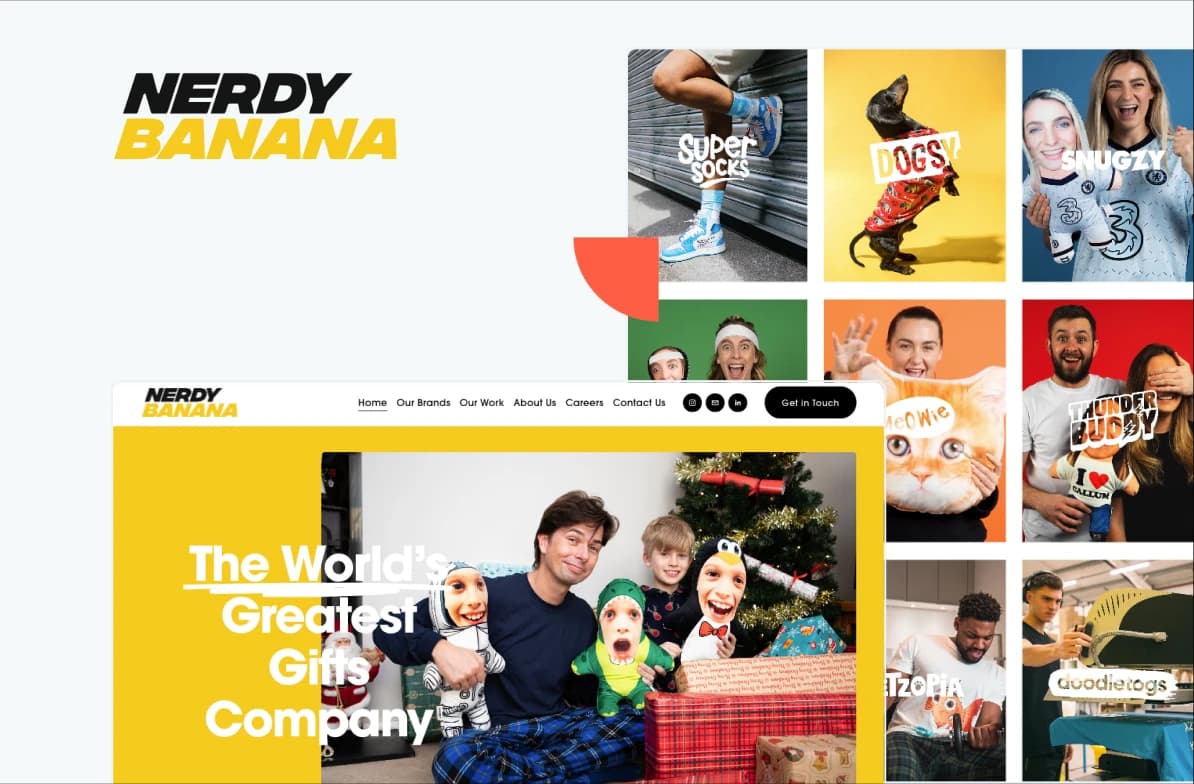
Nerdy Banana’s manual order processing hindered their efficiency and customer experience. Happily, we helped them increase conversion rates, delivery times, and sales.
3x
Quicker delivery times
95%
Production lead time saved
98%
Faster file preparation time
Webflow: design control without the upkeep
Webflow lets designers build custom, interaction-rich sites without writing code, while keeping control over the underlying HTML, CSS, and JavaScript. The output is usually clean and fast, and because it's hosted, you skip the maintenance overhead of self-hosted platforms.
The learning curve is steeper than drag-and-drop builders, pricing gets complex as you grow, and its e-commerce tools trail Shopify's. Webflow suits design-led companies, agencies, and brands that want a distinctive look without hiring developers.
Headless CMS: built for multi-channel
A headless CMS separates content management from presentation, so you manage content once and publish it across your website, mobile app, displays, voice assistants, and channels that don't exist yet. This "create once, publish everywhere" model future-proofs your content and powers omnichannel campaigns, and you can adopt new front-end tech without rebuilding the back end.
The cost is complexity. Headless setups need a dedicated team to build and maintain the front-ends that consume your content APIs, and initial setup runs higher than all-in-one platforms. Consider headless if you're an enterprise with multi-channel needs, a media company distributing widely, or an organization building for long-term scale.
Compare the top frontend options for headless CMS before deciding, or talk to a team like Naturaily for guidance.
Website scalability: Building beyond today's needs
Scalability starts with architecture, not server size. A well-built site on modest hosting beats a poorly built site on expensive servers.
Hosting shapes daily performance and your ability to absorb traffic spikes from a campaign. Shared hosting saves money but caps your growth. VPS hosting adds dedicated resources for businesses that have outgrown shared plans. Cloud hosting from AWS, Google Cloud, or DigitalOcean scales automatically with demand, so a successful campaign doesn't crash the site exactly when traffic peaks.
Architectural strategies for growth
The most scalable sites are built like LEGO sets rather than solid blocks. Modular, component-based design lets you assemble new pages from pre-approved, on-brand components, which speeds publishing and keeps branding consistent.
Many modern sites use microservices, where functions like authentication, catalog, and payments run as independent services. It's more complex to start, but it gives growing businesses resilience and flexibility. Database optimization, including efficient queries, caching, and clean structure, keeps the site fast as your content and traffic grow.
Website security and compliance for business
Website security protects customer data and revenue through layered defenses: HTTPS/SSL encryption, a web application firewall, continuous monitoring and updates, and strong access control. For small and medium businesses, visible security and clear compliance also act as trust signals that can win deals.
Security and compliance do more than prevent breaches. They build customer confidence, protect your reputation, and can become a competitive edge when competitors treat them as an afterthought.
Cybercriminals increasingly target small and medium businesses, which often run weaker defenses than enterprises while still handling valuable customer data. The opportunity is to turn security from a grudge expense into something that helps win business.
Layer 1: HTTPS and SSL certificates
Running without HTTPS now actively costs you visitors. Modern browsers warn users away from unencrypted sites before they read a word of your content.
SSL/TLS certificates encrypt the data moving between your site and a visitor's browser, including contact forms, logins, and payment details. The padlock in the address bar has become a credibility marker customers expect.
What SSL/TLS does:
Encrypts all data between browsers and your server
Protects login credentials, form submissions, and payment details
Enables the padlock icon in the address bar
Signals trust to users and search engines
Investment: $0-$1,500/year (many hosts include it free).
Layer 2: Web Application Firewall (WAF)
A Web Application Firewall (WAF) is a filter that inspects every request to your site and blocks malicious ones before they reach your server. Modern WAFs use pattern detection to stop SQL injection, cross-site scripting, and brute-force login attempts, and they're effective against automated attacks that sweep thousands of sites at once.
Services like Cloudflare and Sucuri provide WAF protection at reasonable cost, often bundled with a CDN and DDoS protection.
A WAF protects against: SQL injection, cross-site scripting (XSS), brute-force logins, DDoS attacks, and bot traffic.
Layer 3: Continuous monitoring and updates
No system blocks every attack. The goal is to catch threats fast when they get through. Automated scanners run around the clock for malicious code, unauthorized changes, and suspicious activity, isolating problems within minutes.
Keeping software current is the highest-value habit. Most successful attacks target known flaws that already have fixes. Automatic security updates close those gaps before attackers reach them.
Regular scanning: automated daily/weekly scans, immediate detection, quarantine and removal, cleanup if compromised.
Timely updates: core CMS, plugins/extensions, themes, and security patches.
Pro tip: Enable automatic security updates to close vulnerabilities immediately.
Layer 4: Access control and the human factor
Most sites get breached through weak passwords and loose user management, not clever technical exploits. People are the weakest link, and the easiest one to fix.
Strong passwords plus two-factor authentication stop most break-ins even when a password leaks. Audit who has access regularly so old employee accounts don't become entry points, and give each person only the access their job needs.
Strong authentication: complex passwords for admin accounts, mandatory 2FA, regular updates, limited login attempts.
Backups (the 3-2-1 rule): 3 copies of your data, on 2 types of media, with 1 copy off-site.
User access: least privilege, regular audits, immediate removal of inactive accounts, role-based access.
Compliance: From legal requirement to trust asset
GDPR and CCPA changed how businesses handle customer data, and the companies that do it well use transparency to strengthen customer relationships rather than just clear a legal bar.
Treat your compliance checklist as a trust-building playbook. Map how you use customer data so you can explain it. Write privacy policies in plain language. Offer consent choices that genuinely reflect preferences. Respond quickly when someone asks to see, change, or delete their data. When people feel in control of their information, they trust you more and share more.
Security as a sales tool
Visible security builds confidence and lifts conversions. Treat trust badges, certificates, and clear privacy policies as conversion tools: customers who feel secure are likelier to buy, submit forms, and share useful detail. Testimonials about your security and privacy carry as much weight as testimonials about your product.
Security investment framework
| Tier | Annual cost | Includes |
|---|---|---|
| Basic | $500-$1,500 | SSL, basic WAF, regular backups, malware scanning |
| Professional | $1,500-$5,000 | Advanced WAF with custom rules, real-time monitoring, professional cleanup, compliance and audit consulting |
| Enterprise | $5,000+ | Custom security architecture, dedicated monitoring, compliance management, incident response, security team support |
How to optimize website UX to convert visitors into customers
To convert more visitors, focus on four things: fast load times, immediate trust signals (clean design, social proof, transparency), clear calls to action, and a mobile-first experience. Even a one-second delay in load time can measurably reduce conversions, so performance is part of UX, not separate from it.
Once a site is technically sound and secure, results come down to the user-facing elements that build trust and drive action. Good design isn't decoration. It reflects how people decide under uncertainty, how trust forms online, and how load time shapes whether someone stays.
Why first impressions decide so much
People judge a business by its website in seconds. A polished, professional site reads as a sign of a professional company, and every detail from your photos to your navigation feeds that judgment.
Trust signals work because they match how we assess competence. Clean, consistent design suggests attention to detail. Strong photography suggests investment in quality. Considered typography as credibility. Dated design, inconsistent branding, or sloppy elements do the reverse, and the doubt extends past the site to whether you're reliable at all.
Professional aesthetics checklist: clean modern design that reflects your brand, consistent color and typography, high-quality imagery, clear white space and visual hierarchy, mobile-responsive layout, fast load times.
Wish your website worked harder for you? Get in touch and we'll send a personalized proposal within a week. Book a website optimization consultation.
Social proof: the trust accelerator
People look to others before deciding, especially when unsure. Customer testimonials show that similar people chose you and were glad they did. Case studies prove you deliver. Recognizable client logos lend credibility by association. A number like "Join 10,000+ customers" signals trust at scale.
What matters is authenticity over volume. Three detailed testimonials with real names and photos outweigh dozens of vague ones. One case study with real numbers beats a page of general claims.
Strong social proof: testimonials with names and photos, case studies with specific results, prominent reviews and ratings, recognizable client logos, usage stats, recent-activity cues ("5 people viewed this in the last hour").
Transparency as a competitive advantage
As people grow warier of online businesses, openness becomes an advantage. Companies that share their story, introduce their team, and make contact easy earn trust faster than those that stay faceless.
A real "About Us" page helps visitors connect with your brand. Team photos and short bios make the business feel human. A listed address and phone number prove you're real. Clear return, privacy, and guarantee policies show confidence in what you offer.
Trust-building information: a full "About Us" with team photos, physical address and contact info, a phone number with real support, clear return and refund policies, professional email addresses, active social profiles.
Website conversion strategies: Guiding the decision journey
Good websites guide visitors through a decision process that feels helpful rather than pushy. An interactive demo can give visitors enough context to understand a key workflow before they book a call or create an account, reducing uncertainty without adding more sales copy.
Call-to-action design
Clear CTAs make the next step obvious. Wording matters: "Get Started" feels like a small first move, "Download Your Free Guide" offers value before asking for an email, "Schedule Your Consultation" reads as helpful rather than salesy. Design matters too. Colors that contrast with the page draw the eye, and placing a CTA right after you've explained a benefit catches people when intent is highest.
Navigation psychology
Your menu reveals whether you understand how customers think. Navigation organized around customer needs feels effortless. Navigation organized around your internal org chart frustrates people and loses them. The best menus surface what visitors want: a clear description of what you do, easy-to-find pricing, and obvious contact details.
Performance as user experience
Even a one-second delay in load time can cut conversions, and Google uses page speed as a ranking factor. Amazon's finding that every 100-millisecond delay cost it 1% in sales has held up across industries.
Today's users are distracted and impatient, weighing several options at once. A slow site reads as a careless one, and they leave for a faster competitor.
Google's Core Web Vitals define three measurable targets for user experience. As of March 2024, Interaction to Next Paint (INP) replaced First Input Delay (FID) as the responsiveness metric.
| Core Web Vitals | What it measures | "Good" target |
|---|---|---|
| Largest Contentful Paint (LCP) | Loading performance - when the main content finishes rendering | 2.5 seconds or less |
| Interaction to Next Paint (INP) (replaced FID in March 2024) | Responsiveness across all interactions in a visit | 200 milliseconds or less |
| Cumulative Layout Shift (CLS) | Visual stability - unexpected layout movement during load | Less than 0.1 |
Sites that hit these targets see higher conversion rates, longer engagement, and better rankings.

Wish your website worked harder for you?
We get it. Get in touch and we'll craft a personalized proposal just for you within a week
Performance optimization that works
Image optimization gives most sites their biggest speed win, since large, unoptimized images are the top cause of slow loads. Compression, correct sizing, and modern formats like WebP cut image weight by 50-80% with no visible quality loss.
Browser caching speeds up repeat visits by storing static files on the user's device, so returning visitors load cached files instantly. Content Delivery Networks serve your files from servers near each visitor, cutting load times by 30-50% for international audiences while adding redundancy that keeps the site up during server issues.
Mobile-first website design
With mobile driving roughly 60% of web traffic, mobile optimization is now business-critical. There's a meaningful difference between responsive design and mobile-first thinking.
Responsive design
Responsive design adjusts your layout to fit phones, tablets, and desktops. It's the baseline that keeps a desktop site usable on a phone. But responsive often treats mobile as a shrunk-down desktop: important elements get hidden and menus turn clunky, which signals you built for desktop first.
Mobile-first strategy
Mobile-first design starts with the phone, then adds for larger screens. The constraint forces you to prioritize what matters, producing cleaner, faster sites everywhere. Because Google ranks primarily on the mobile experience, sites that nail mobile rank better, and that advantage compounds into more traffic and revenue.
Mobile optimization best practices
Touch-friendly design means larger buttons, simpler menus, and forms built for thumbs. Click-to-call turns visitors into phone calls. Local businesses should surface location prominently, since mobile users often search nearby. For stores, a simple checkout with guest purchase and wallet options like Apple Pay or Google Pay reduces last-minute cart abandonment.
Technical: fast loading on cellular, touch targets of at least 44px, readable fonts without zoom, streamlined navigation, mobile-optimized forms.
Experience: one-column layouts, prominent search, click-to-call, easy-to-find location info, simplified checkout.
Performance benchmarks that drive results
Aim for load times under 3 seconds for a good experience, under 2 for excellent, and under 1 for a competitive edge.
Studies on load-time and conversions have found a consistent pattern:
A 1-second delay reduces conversions by around 7%.
A 3-second load time pushes about 32% of users to abandon.
A 5-second load time drives roughly 90% abandonment.
Mobile targets matter even more, since mobile users tolerate less on variable connections. Mobile optimization often returns higher ROI than general performance work. Companies in the top quartile of site performance consistently outperform competitors on acquisition and retention, and the investment typically pays back through higher conversions within months.
Loading speed targets: under 3s (good), under 2s (excellent), under 1s (competitive advantage).
Mobile Core Web Vitals targets: LCP under 2.5s, INP under 200ms, CLS under 0.1.
Post-launch: maintenance, measurement, and ROI
Launch is the starting line. Protecting the investment takes proactive maintenance and honest measurement. Skipping maintenance invites security holes, slowdowns, and lost opportunities.
Maintenance runs on a cadence:
Weekly: backups, malware scans, updates, broken-link checks. Prevents disasters that erase months of marketing.
Monthly: speed tests, database cleanup, analytics reviews to catch problems early.
Quarterly: access-control audits, testing of key user journeys, content-freshness reviews.
Annually: full performance review, tech-stack assessment, and alignment with business goals. These audits guide investment and prevent emergency redesigns.
Annual maintenance typically runs 15-20% of the initial build cost.
Maintenance investment options
| Tier | Monthly cost | Includes |
|---|---|---|
| DIY | $5-$100 | Your time, premium tools/plugins, basic backup and security |
| Professional | $200-$500 | All technical tasks handled, dedicated support, regular reporting, proactive fixes |
| Enterprise | $2,500-$10,000+ | Full technical management, strategic optimization consulting, custom monitoring, dedicated account management |
A $300/month plan protects a $15,000 investment and keeps improving performance over time. That's the right way to weigh maintenance: as protection on a larger asset, not a standalone cost.
KPIs that matter for growth
Track business outcomes, not vanity metrics. Total page views feel good and tell you little; conversion rate and customer acquisition cost tell you whether the site earns its keep.
A useful measurement stack combines Google Analytics 4 for behavior, Google Search Console for search performance and technical issues, and heat-mapping tools like Contentsquare or Crazy Egg to see how users interact. A/B testing platforms enable scientific optimization, feedback tools capture the "why" behind the numbers, and revenue tracking connects activity to outcomes.
| Category | Metrics | Goal |
|---|---|---|
| Traffic & acquisition | Organic traffic, search impressions & CTR, traffic sources | More qualified traffic from target channels |
| Engagement | Engagement rate, average engagement time, pages per session | Better content and experience |
| Conversion & business | Conversion rate, cost per acquisition (CPA), customer lifetime value (CLV) | Maximize profitable conversions |
Sophisticated teams use site data to understand customer behavior that informs wider strategy. Journey analysis shows how prospects move through content and conversion paths. Seasonal patterns help forecast cash flow. Geographic data informs expansion. Device and browser data guide where to invest in experience.
How to calculate website ROI
Website ROI = [(Gain from the website − Total Cost of Ownership) ÷ Total Cost of Ownership] × 100%. For e-commerce, "gain" is direct revenue tracked in GA4. For B2B and lead-gen sites, gain = number of website leads × value per lead, where value per lead = customer lifetime value × lead-to-customer conversion rate.
Total investment isn't just the build. It includes hosting, maintenance, security, content, and staff time. Many businesses underestimate this and set unrealistic ROI expectations. The most accurate analysis also counts opportunity cost: hours spent managing the site that could have gone to other growth work, valued at their real contribution rate.
ROI calculation framework
Cost of investment (TCO): initial development, ongoing hosting and maintenance, premium tools, content and marketing, staff time.
Gain from investment:
E-commerce: direct revenue, tracked in GA4 e-commerce reporting.
B2B / lead generation: calculate customer lifetime value, determine lead-to-customer conversion rate, multiply for value per lead, then multiply by website leads for total gain.
E-commerce attribution is straightforward through sales tracking. B2B needs models that account for longer cycles and multiple touchpoints. A lead worth $5,000 justifies a different optimization budget than one worth $500, so accurate lead valuation drives smart investment decisions.
Where to focus optimization for the best ROI
The highest-impact work is usually conversion rate, not traffic. Lifting conversions from 2% to 3% increases revenue by 50% with no added traffic cost, while doubling traffic for the same effect means proportionally higher ad spend.
Speed optimization often gives the best ROI because it improves experience and rankings at once: a one-second load-time improvement can lift conversions around 7% while boosting search visibility. Data-led UX changes usually beat aesthetic ones. Simplifying checkout, clarifying navigation, and improving forms tend to show results within weeks.
The businesses with the best ROI treat optimization as a continuous process: test, measure, reinvest the gains, and compound the lead over competitors.
Website optimization cost
Website optimization typically costs $1,000-$10,000+ per month for an ongoing program, or $1,000-$15,000 for a one-off project, depending on scope. A standalone audit runs $500-$5,000. Cost scales with how much you optimize (speed, SEO, conversion, content) and whether the work is a one-time sprint or a continuous retainer.
Optimization isn't a single purchase. It comes in a few shapes, and the right one depends on how much ground you need to cover and how fast.
| Engagement | Typical cost | What you get | Best when |
|---|---|---|---|
| One-off audit | $500-$5,000 | A prioritized list of issues and opportunities across speed, SEO, UX, and analytics | You need a diagnosis before committing budget |
| Quick-win sprint | $1,000-$8,000 | A fixed batch of high-impact fixes (speed, key page conversion, technical SEO) | You know roughly what's wrong and want fast results |
| Ongoing retainer | $1,000-$10,000+/month | Continuous testing, measurement, and improvement across levers | Optimization is a priority and you want compounding gains |
| Targeted project | $5,000-$25,000 | A defined scope (a CRO program, an SEO content build, a performance overhaul) | One area needs serious, dedicated work |
Three factors drive the cost: the number of levers you optimize at once, the size and complexity of the site (more pages and integrations mean more work), and the pace you want (a one-month sprint costs less than a quarter of compounding work but returns less too). The cheapest engagement that still moves your key metric is usually the right starting point. You can scale up once it pays back.
Website optimization ROI
Website optimization usually delivers strong ROI because it lifts revenue from traffic you already pay to acquire, rather than buying more of it. The clearest example is conversion rate: small percentage gains compound into large revenue gains with no extra ad spend.
Here's the math a business buyer can run in a minute. Say your site gets 50,000 visitors a month, converts at 2%, and your average order or lead value is $200:
Today: 50,000 × 2% × $200 = $200,000/month
After optimization lifts conversion to 3%: 50,000 × 3% × $200 = $300,000/month
That's $100,000 more per month from the same traffic, a 50% revenue increase.
Now weigh it against cost. If that gain took a $5,000/month optimization retainer, the ROI is roughly [($100,000 − $5,000) ÷ $5,000] × 100 = 1,900%. Even if the real lift were a fraction of this, the return still clears most other marketing spend.
The principle holds across business types. For e-commerce, track the gain as direct revenue in GA4. For lead generation, multiply extra leads by your value per lead (customer lifetime value × lead-to-customer conversion rate). Either way, optimizing the conversion of existing traffic almost always beats paying to grow traffic that converts at the same low rate.
Speed work earns its keep the same way: a one-second load-time improvement can lift conversions around 7% while improving search rankings, so a single fix pays back on two fronts.
When optimization isn't enough: Redesign vs replatforming
Optimization improves the site you have. When the design or the platform itself is the bottleneck, no amount of tuning will fix it, and you're better off with a redesign or a replatform. The signs are usually clear once you know what to look for.
Optimization means improving your existing site (speed, content, conversion, SEO) on the same design and platform. Redesign means rebuilding the look, structure, and user experience, usually on the same platform. Replatforming means moving to a different CMS or e-commerce platform (for example, WordPress to Webflow, or a legacy stack to Shopify or a headless setup).
You've likely outgrown optimization when:
You keep hearing "the platform can't do that" about features you need.
Performance problems trace back to architecture, not images or caching, and can't be fixed without a rebuild.
Maintenance and subscription costs are climbing toward the price of a fresh build.
The mobile experience is fundamentally broken, not just rough at the edges.
You can't integrate the CRM, payment, or marketing tools your business now runs on.
Conversions have plateaued after sustained testing, suggesting the structure itself is the limit.
The brand looks dated enough that design is costing you credibility with buyers.
| Your situation | Best move |
|---|---|
| Traffic is fine, conversions lag, platform is capable | Optimize |
| Platform works, but the design and structure feel dated and convert poorly | Redesign (same platform) |
| The platform itself blocks features, integrations, or performance | Replatform (new CMS) |
| Both the design and the platform are holding you back | Redesign + replatform together |
Before committing to a rebuild, work through a structured website redesign checklist so you carry forward what already works (rankings, content, conversion data) instead of starting from zero.
Not sure whether to optimize or rebuild? Book a website optimization consultation and we'll tell you straight, based on your goals and your current site.
Your roadmap to website optimization success
A website that drives growth takes strategic thinking, quality execution, and ongoing commitment. Start by auditing your current site against the checklist in this guide, then prioritize the changes with the biggest impact on your specific goals.
Key success principles to carry forward:
Invest strategically in quality development and ongoing optimization
Choose technology that enables growth instead of constraining it
Prioritize security as both protection and a competitive advantage
Optimize holistically for experience and conversions
Measure relentlessly and make data-driven improvements
Want a second opinion before you spend? Naturaily builds and optimizes high-performing websites for measurable growth. Book a website optimization consultation and we'll map the highest-ROI improvements for your site.
FAQ
Frequently asked questions
There is no single best CMS. Choose WordPress for content-heavy, highly customized sites; Shopify for selling products; Webflow for design-led sites without maintenance overhead; and a headless CMS for multi-channel publishing at enterprise scale. Match the platform to your primary business goal and three-year plan.
Core Web Vitals are three Google metrics for user experience: Largest Contentful Paint (loading, target ≤2.5s), Interaction to Next Paint (responsiveness, target ≤200ms), and Cumulative Layout Shift (visual stability, target <0.1). They're confirmed ranking factors, and meeting them correlates with higher conversions and engagement.
Most professional websites take 2-4 months. Planning takes 1-3 weeks, design 2-6 weeks, content 3-8 weeks, development 4-12 weeks, and testing 1-2 weeks. Preparing all content before development starts can cut the timeline by 30-50%, since content is the most common bottleneck.
Use ROI = [(Gain − Total Cost of Ownership) ÷ Total Cost of Ownership] × 100%. For e-commerce, gain is direct revenue from GA4. For lead generation, multiply website leads by value per lead, where value per lead equals customer lifetime value times your lead-to-customer conversion rate.
Yes. Google uses page speed as a confirmed ranking factor through Core Web Vitals. Faster sites rank higher and convert better. A one-second improvement in load time can lift conversions by around 7% while improving search visibility, which makes speed optimization one of the highest-ROI improvements available.
Pricing models vary: per-seat (Jasper, Writer), credit-based (Sanity, Strapi, Storyblok), consumption-based (Contentful AI Actions), or build-your-own on a self-hosted stack (Payload, Directus, Strapi).
Start with analytics so every change is measurable, then speed, then UX and conversion paths, then SEO and content, and finally your CMS. Speed comes early because it improves rankings, conversions, and user experience at once. Leave a platform change for last, since it's the most disruptive and expensive move.
Optimize when traffic is healthy but conversions lag. Redesign when the design and structure are dated and convert poorly. Replatform when the CMS itself blocks the features, integrations, or performance you need. If both design and platform hold you back, plan a redesign and replatform together.
Tired of hearing 'we looked at your website but...'?
We help businesses create websites that make prospects say 'yes' instead of 'maybe later.' Time to turn browsers into buyers!